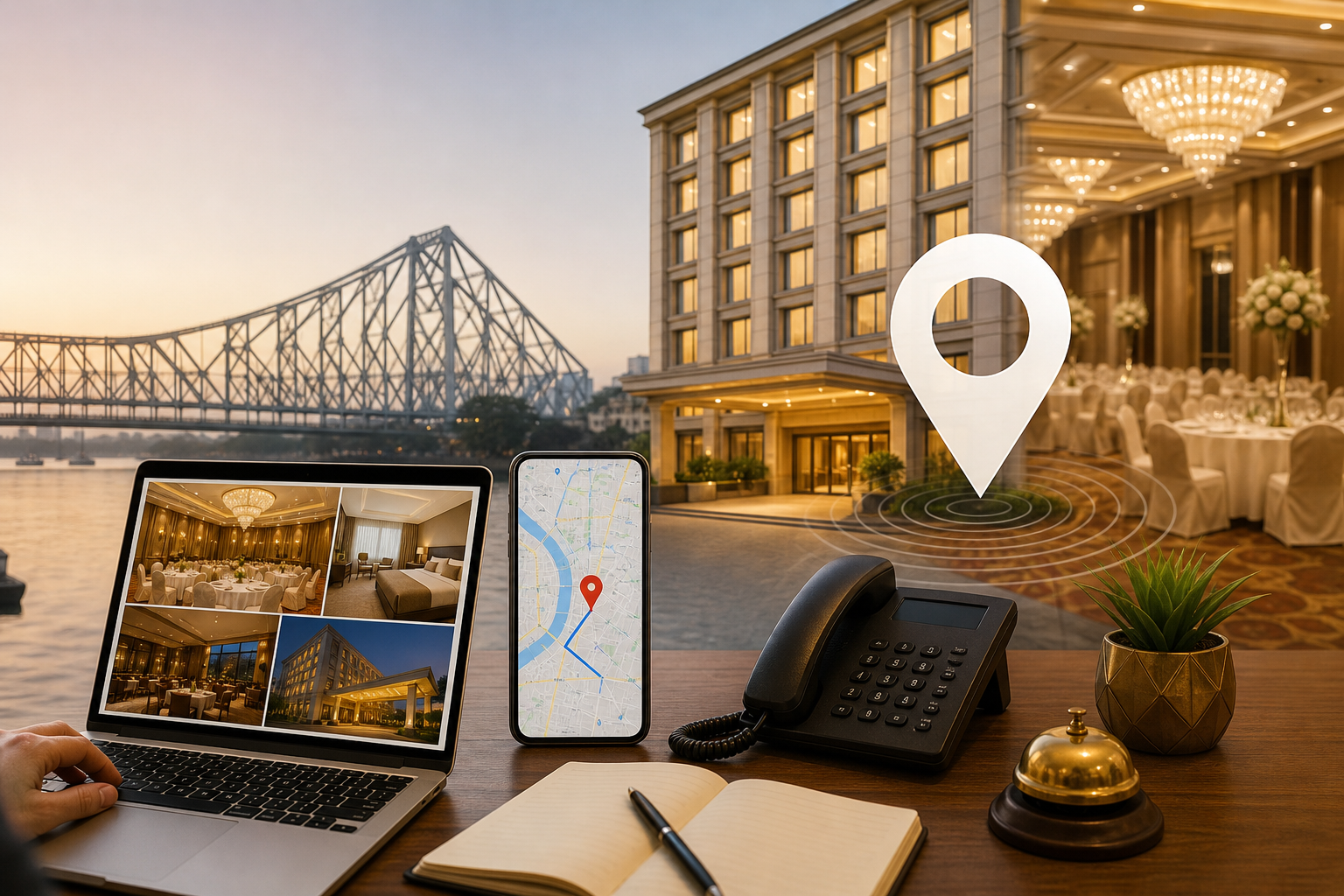
Hotels and banquet halls cannot manage their Google Business Profile like an ordinary local business. This guide explains how to structure hospitality categories, showcase rooms and event spaces, build enquiry paths, publish useful updates and turn Maps visibility into bookings and venue visits in Kolkata.
Google Business Profile Strategy for Hotels and Banquet Halls in Kolkata
A hotel or banquet hall can appear in Google Search and Maps but still lose the enquiry because the profile does not answer the visitor’s immediate question. A guest may want to know whether rooms are available near an office area. A family may be comparing wedding halls with parking. A company may need a conference venue, while another customer may only want directions before visiting the property.
These are different buying situations. Treating the Google Business Profile as a basic address listing, uploading a few attractive photographs and waiting for calls usually leaves important opportunities unaddressed. Hotels and venues need a profile that connects each search intent to evidence, a suitable enquiry route and an operationally accurate property description.
This guide explains how hotels, banquet halls and mixed hospitality properties in Kolkata can structure their Google Business Profile to support room enquiries, event leads, directions, calls and venue visits.
1. Start with revenue actions, not profile views
A profile view is useful only when it leads to a meaningful next action. Before making changes, list the actions that matter to the property:
- Calls for room availability, rates, check-in questions or event discussions.
- Website visits to booking pages, room pages or event enquiry forms.
- Direction requests from guests travelling to the property.
- Enquiries for weddings, receptions, birthday parties, conferences and corporate gatherings.
- Scheduled venue visits for customers comparing halls, décor options and facilities.
- Messages or WhatsApp enquiries, if the property has an active and monitored channel.
Then map each action to the right destination. A guest searching for accommodation should reach a clear booking or room-enquiry route. Someone comparing banquet halls may need a call, form or venue-visit option instead. Sending every visitor to a general homepage creates unnecessary friction.
| Search intent | Useful evidence | Best conversion path |
|---|---|---|
| Stay or room enquiry | Room types, bathrooms, amenities, check-in information and current photographs | Booking page or direct call |
| Wedding or reception | Hall layout, seating format, stage, décor, parking and washrooms | Event form or call |
| Corporate meeting | Conference setup, presentation facilities, access and refreshment options | Call or corporate enquiry form |
| Venue visit | Entrance photographs, address clarity, access information and visit guidance | Directions plus scheduled appointment |
2. Select categories that describe the property accurately
Categories help Google understand what the business is. They also influence which types of searches may be relevant. The primary category should describe the property’s main business, not the service that happens to have the highest margin during one season.
A hotel, banquet hall, resort, conference centre and event venue may have different category options. A mixed property may be eligible for more than one relevant category, but secondary categories should be added only when the business genuinely offers that service at the stated location.
For example, a hotel with a separate wedding hall may need a hotel-related primary category and a relevant event or banquet category if available and accurate. A standalone banquet property should not select a hotel category simply because it wants to appear for accommodation searches. Similarly, a venue should not add restaurant, conference centre or event-related categories unless those facilities are actually available to customers.
Review the categories currently available inside the profile because Google’s category list can change. Do not copy a competitor’s categories without checking eligibility. Category accuracy is more useful than selecting a long list of loosely related options.
3. Build the services section around real buying questions
The services section should not be a collection of vague phrases such as “best hospitality” or “all types of functions”. Use it to describe what customers can enquire about or purchase.
For hotels
- Standard rooms, executive rooms, suites or other verified room types.
- Short stays, business stays or family accommodation, only where genuinely offered.
- Breakfast, dining, room service and other available facilities.
- Airport, railway station or local transport assistance, if provided.
- Parking, Wi-Fi, accessibility features and meeting facilities.
For banquet halls and event venues
- Wedding and reception venue hire.
- Engagements, birthday parties and anniversary celebrations.
- Corporate meetings, seminars, conferences and training sessions.
- Indoor dining or catering arrangements.
- Stage, sound, lighting, décor coordination and seating arrangements, where provided.
Give each service a clear name and a short explanation. If prices, menus, capacity or availability change, avoid publishing details that the team cannot maintain. Verified capacity may be included where the venue has a documented figure for a particular layout. Do not use one total capacity figure when the number changes substantially between theatre seating, dining, classroom seating and open-floor arrangements.
4. Write a description that sets the right expectation
The business description should explain what the property is, where it is located, what customers can use it for and how they can enquire. It is not the place to repeat a keyword several times or make claims such as “number one” without evidence.
A practical structure is:
- State the property type: hotel, banquet hall, event venue or mixed hospitality property.
- Mention the main facilities and use cases.
- Describe the relevant Kolkata location naturally.
- Explain how customers can enquire about rooms, events or venue visits.
For example, a hotel in Salt Lake may mention accommodation, business stays, dining, meeting facilities and access to nearby commercial areas if those statements are accurate. A venue in Rajarhat may describe its event spaces, parking and suitability for receptions or corporate gatherings, without claiming to serve every part of Kolkata from one address.
Use the actual property name as the profile name. Adding phrases such as “Best Banquet Hall in Kolkata” to the name can create trust and compliance problems. Location terms should appear in the description only when they help a customer understand the property.
5. Build two separate photo systems
A hotel and banquet hall should not rely on one general gallery. Guests assessing rooms need different evidence from families comparing event venues. Organise photographs into two practical groups and maintain both.
Room and hospitality photographs
- Exterior and main entrance, including the approach where it helps visitors identify the property.
- Lobby, reception desk and common areas.
- Each important room type, photographed in a realistic and well-lit condition.
- Bathrooms, storage, work areas and views where these affect the buying decision.
- Dining area, breakfast service, lounge, gym or other facilities that are genuinely available.
- Parking entrance, lift access and accessibility facilities where relevant.
Do not show only staged beds and decorative corners. A guest also wants to understand room size, cleanliness, bathroom condition, storage and access. Use captions or filenames within your internal asset system to identify the room type and date, even though the customer-facing platform may display images differently.
Event-venue photographs
- Empty hall layouts showing the actual floor shape and columns, if any.
- Wedding, reception, dining, classroom and theatre seating formats.
- Stage, lighting, entry passage, foyer and registration area.
- Décor examples that clearly represent the venue’s own facilities or a documented setup.
- Washrooms, kitchen or service areas where appropriate to the enquiry.
- Parking, drop-off points, entrance visibility and access for older guests or people with disabilities.
Keep event photographs current. A decorated setup can create the wrong expectation if the décor, stage or lighting was supplied for one occasion and is not normally included. Add a simple internal review date to every major image set and replace photographs when the hall, furniture, entrance or facilities change.
6. Design the conversion path for each audience
Profile visitors are often ready to take a practical action, but they may not all want the same action. Make the next step obvious and make sure someone is available to respond.
Calls: Use the listed phone number for a team that understands room rates, check-in rules and event enquiries. If the same number handles both, create a simple call-routing or reception process so a wedding enquiry is not lost at the front desk.
Website: Link to the most useful page available. A room searcher should not have to navigate from a generic homepage to find availability. An event prospect should see hall photographs, enquiry fields, preferred date, event type, guest count and contact details.
WhatsApp or messaging: Use this only when messages are checked promptly. Provide a short enquiry template asking for event date, function type, approximate guest count and preferred contact time. For rooms, ask for check-in date, number of guests and room requirement.
Directions: Check the map pin and the route from the main approach. If the property is inside a complex, explain the correct entrance and parking point through the website or enquiry response. Do not assume that a correct postal address always gives a first-time visitor a smooth arrival.
Venue visits: Display a clear instruction that visits should be scheduled when the sales team or property manager is available. This avoids a prospect arriving during a private function or finding that the hall is not ready to show.
7. Use updates for changing demand
Google Business Profile updates can support timely demand, but they should contain information the property can stand behind. Useful themes include:
- Wedding and reception planning information before the busy marriage season.
- Festive gatherings, family functions and corporate year-end events.
- Conference and meeting facilities for business enquiries.
- Room packages or stay information with clear validity dates and conditions.
- Last-minute availability only when the team can confirm it and remove the message when it expires.
Each update should have one purpose and one next action. A post about conference facilities can invite a capacity and date enquiry. A post about rooms can direct visitors to the booking route. Avoid publishing “limited rooms available” or discount language unless the offer is real, approved and kept current.
8. Treat reviews as operational feedback
Review requests should follow genuine customer interactions, not be limited to guests who are expected to write positively. A hotel can request feedback after a completed stay. A banquet property can request it after the event or venue visit, depending on the customer relationship.
Ask customers to comment on the experience naturally rather than instructing them to include keywords. Useful review subjects may include room cleanliness, staff behaviour, food service, parking, location, check-in, hall setup and event execution.
Responses should address the actual point raised. If a guest mentions difficulty finding the entrance, explain what has been improved or how future visitors can get clearer directions. If a review discusses a delayed event setup, acknowledge the concern and move the detailed discussion to a private channel. Do not reveal booking information, personal details or disputed facts in a public reply.
Review management is also an operations process. Group recurring complaints by subject: rooms, food, service, maintenance, parking, noise, access or event coordination. A profile cannot compensate for an unresolved property problem.
9. Keep operational details accurate
Hospitality customers make decisions based on small details. Check the following regularly:
- Business hours and holiday changes.
- Check-in and check-out guidance on the website and booking route.
- Telephone numbers and enquiry ownership.
- Parking availability, charges and access restrictions.
- Entrance location, building name, floor or gate information.
- Room and event facilities shown in the profile.
- Temporary closures, renovation work or changes to operating hours.
- Duplicate profiles created by former managers, agencies or alternate addresses.
Do not create separate profiles for every hall, room type or event package at the same address. A separate listing should represent a genuinely eligible, distinct business rather than a marketing variation. Duplicate or misleading profiles can confuse customers and create management problems.
10. Build Kolkata relevance without forcing location keywords
Local relevance comes from an accurate address, property information, customer experience and useful local context. Mention nearby areas or transport points only when they help visitors understand access. Depending on the property’s real location, this may include areas such as Park Street, Ballygunge, Salt Lake, New Town, Rajarhat, Gariahat, Howrah or Sealdah.
Do not list every Kolkata neighbourhood in the description. A hotel near the airport should not imply that it is located in Park Street, and a venue in New Town should not create a separate profile for each nearby area. Instead, describe the actual access route, nearby landmarks and transport connections accurately on the website and in enquiry responses.
For event venues, local relevance also includes practical access information: parking, road approach, public transport options and whether guests coming from different parts of the city can reach the property conveniently. This information often supports a venue visit more than another generic promotional sentence.
11. Measure qualified actions, not only visibility
Review profile performance against business records. Useful measures include:
- Calls received from the profile and the reason for each call.
- Website clicks to room booking and event enquiry pages.
- Direction requests during relevant dates and seasons.
- Forms, messages and WhatsApp enquiries.
- Qualified event leads containing a date, event type and approximate guest count.
- Venue visits scheduled and completed.
- Bookings or event contracts that can be connected to the original enquiry.
Ask the reception or sales team to record the source during every enquiry. A simple spreadsheet can include date, profile or website source, room or event intent, requested date, status, value where appropriate and reason for loss. This is more useful than treating every call as a successful lead.
12. A practical 30-day implementation plan
Days 1–7: Audit and prioritise
- Check ownership, name, address, map pin, phone number and website.
- Record the current primary and secondary categories.
- List room types, event spaces, facilities and enquiry routes that are genuinely available.
- Identify duplicate profiles, outdated hours and incorrect photographs.
Days 8–14: Fix the foundation
- Update categories after verifying the property’s actual business type.
- Rewrite the description around property type, location, facilities and enquiry use cases.
- Organise services by rooms, stays, events, halls and facilities.
- Correct booking, form, phone, messaging and direction paths.
Days 15–21: Publish evidence
- Upload current exterior, lobby, room, bathroom, dining and access photographs.
- Upload separate event photographs showing layouts, stage, seating, décor and parking.
- Remove images that show unavailable facilities or outdated setups.
- Create one or two useful updates for current seasonal or business demand.
Days 22–30: Improve the operating process
- Give staff a short script for recording profile-sourced enquiries.
- Start a legitimate review-request process after stays, events and venue visits.
- Prepare response templates for common questions without making them sound mechanical.
- Review calls, forms, direction requests and qualified enquiries weekly.
- Assign one person to check profile accuracy and update expired information.
13. When specialist support is worthwhile
Professional help is most useful when the property has several revenue lines or an existing profile problem. An audit can identify category errors, duplicate listings, incorrect map information, weak enquiry paths and evidence gaps. A specialist can also help create a repeatable content and photo system rather than making one-time profile edits.
Support is particularly valuable for a hotel with multiple branches, a property that has changed name or ownership, a venue with separate but closely related operations, or a business receiving profile activity but few qualified enquiries. The work should still be tied to practical outcomes: accurate discovery, better calls, clearer directions, room enquiries, event leads and completed venue visits.
Be cautious of anyone promising guaranteed Maps rankings or a fixed number of bookings. Local visibility depends on relevance, distance, prominence, competition, property experience and the accuracy of the information provided. A credible process explains what can be improved, how it will be measured and which operational details remain the property’s responsibility.
Conclusion
Hotels and banquet halls in Kolkata should not manage their Google Business Profile like a generic local listing. Rooms, stays, weddings, receptions, conferences, parties and venue visits represent different customer questions, evidence requirements and conversion paths.
The realistic next action is to conduct a one-hour profile-to-revenue audit: list the five most important enquiries, check whether the profile provides evidence for each one, test every phone and website route, and compare the listed information with what the property currently offers. Then fix the foundation before adding more posts or photographs. If category decisions, duplicates, tracking or ongoing updates are difficult to manage internally, bring in a Google Business Profile specialist with access to the property team and a clear reporting process.
About Sanat Haldar
Sanat Haldar is a digital marketing consultant and website developer based in Kolkata, working across SEO, Google Ads, Local SEO, performance marketing and conversion-focused websites. For businesses working on Local SEO services, the relevant service page explains the approach, scope and next steps.