A practical guide for local-service businesses that receive too many low-quality Meta enquiries on WhatsApp. Compare campaign routes, add qualification fields and measure leads by sales value—not chat volume.
Meta Ads for Local Service Businesses: Qualify Enquiries Before WhatsApp
A local-service business can receive many WhatsApp messages from Meta ads and still have very little sales opportunity. Some people live outside the service area. Some tap an ad by mistake. Others want a price far below the business’s workable range, are only comparing options, or need a service that the business does not offer.
The problem is usually not WhatsApp itself. WhatsApp is only the destination. If the ad, audience and conversion path do not qualify the person before the conversation starts, the sales team has to do all the filtering manually. That wastes response time and makes a low cost per chat look better than the campaign really is.
For a local-service campaign, define a lead as a person who needs an offered service, is within the service area, can be contacted within the accepted timeframe and meets the basic commercial conditions of the business. Then choose the Meta conversion route that can collect those signals reliably.
Why Meta enquiries become low-value WhatsApp chats
Meta can find people who are likely to engage with an offer, but engagement is not the same as buying intent. A person may respond to a creative showing a discount without understanding the service location, exclusions or starting price. A broad audience may include people from nearby districts that the business cannot serve profitably.
Common causes of poor-quality conversations include:
- Unclear service area: The ad says “available now” but does not name the city, neighbourhoods or pincodes covered.
- Vague offer: “Book a consultation” or “Get a quote” gives no indication of service type, minimum scope or price level.
- Accidental clicks: A person taps the WhatsApp button to ask a casual question or because the call to action is too broad.
- No qualification step: The first meaningful question is asked only after the sales representative starts chatting.
- Wrong optimisation signal: The campaign is judged on chats or link clicks, even though the business earns money only from booked visits, completed jobs or signed projects.
- Slow or inconsistent follow-up: A genuine enquiry receives a late reply, while the team spends time on people who were never suitable.
Before increasing the budget, map the sales process. Write down the minimum conditions for a useful enquiry: location, service, urgency, budget or project size, decision-maker status and preferred contact time. Do not ask for information that will not change the next sales action.
Choose the right Meta conversion path
There is no single best route for every local business. The right choice depends on service complexity, average deal value, sales-team capacity and how much information a prospect needs before contacting you.
| Conversion route | Best suited for | Main advantage | Main risk |
|---|---|---|---|
| Instant Forms | Structured enquiries, consultations, estimates and repeatable services | Fast mobile completion and consistent information | Some people submit with limited commitment |
| Click-to-WhatsApp | Services where conversation, availability or quick advice is central | Immediate two-way interaction | Chat volume can be mistaken for lead quality |
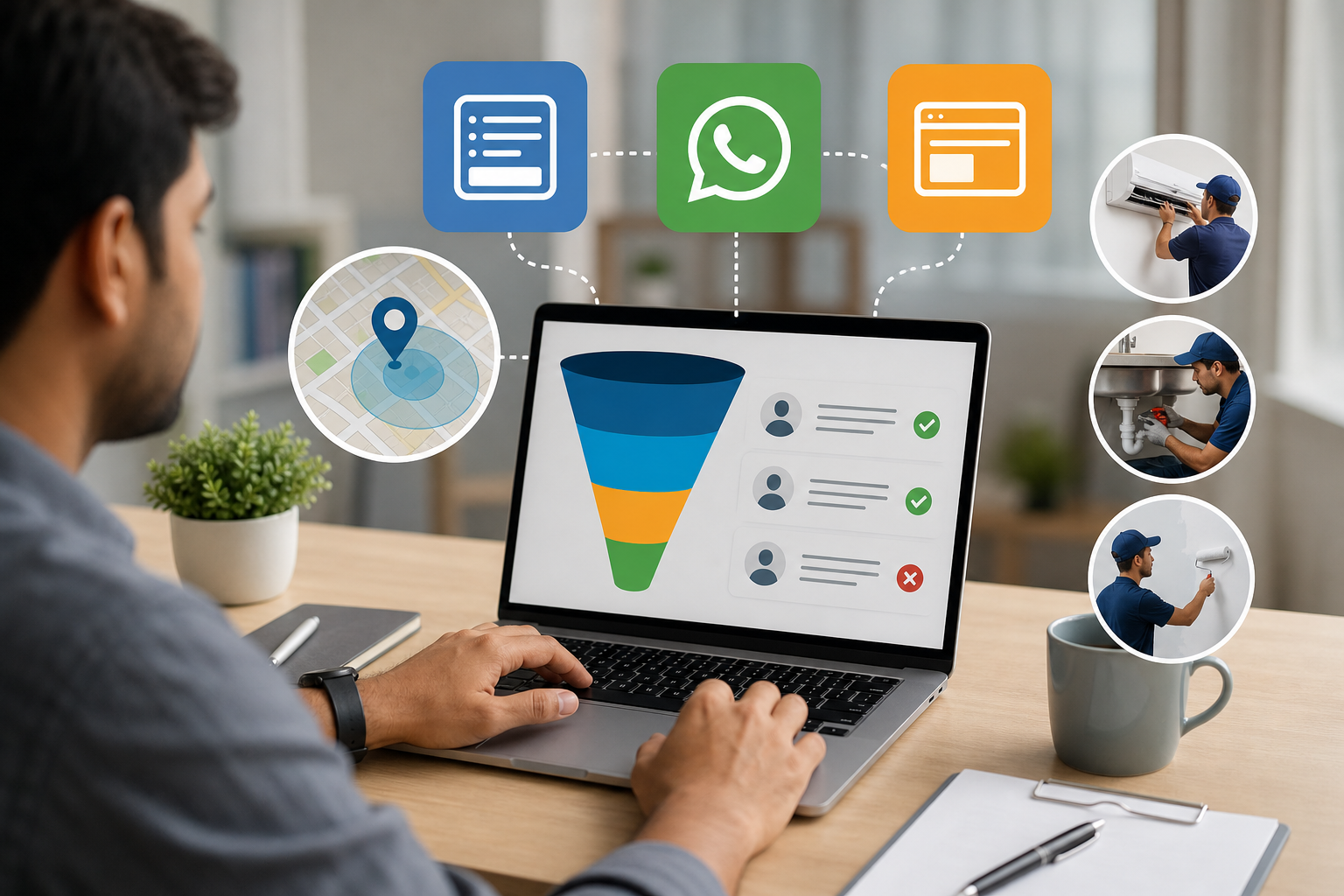
| Landing pages | Complex, higher-consideration or eligibility-based services | More space for proof, scope, pricing context and detailed questions | More friction and greater responsibility for page quality |
Use Instant Forms for structured volume
Instant Forms are useful when a business needs information in a predictable format and wants a short mobile journey. A home renovation company, cleaning provider, tutor, pest-control operator or maintenance business can ask for the service, locality and expected timeline before a representative calls.
Choose a higher-intent form setting where available and include a review step rather than making submission as effortless as possible. The aim is not to create unnecessary friction; it is to reduce accidental submissions. Your form introduction should make the next step clear, such as “We will check service availability and contact you during business hours.”
Instant Forms are less suitable when the prospect needs to understand several service options, compare technical specifications or assess extensive trust evidence before enquiring. In those cases, a form can create enquiries that are technically complete but commercially weak.
Use click-to-WhatsApp when conversation is genuinely part of the sale
Click-to-WhatsApp works well when customers naturally need to describe a requirement, share a photo, confirm availability or ask a short question before booking. Examples include appliance repair, home services, event enquiries and some appointment-led businesses.
Do not treat the click as a lead. Treat it as the start of a qualification flow. Use a prefilled message that includes a useful choice, for example: “I need a quotation for [service] in [locality].” This gives the representative context and makes the user actively confirm a need.
WhatsApp is a poor first destination when the service has multiple eligibility conditions, complicated pricing or a high cost of sales. In such cases, the chat may become a long exchange before the prospect has read basic information that could have answered the first question.
Use a landing page for complex or higher-consideration services
A landing page is often the better route for interior projects, specialised professional services, training programmes, commercial maintenance contracts and other services where trust and scope matter. The page can explain what is included, who the service is for, starting-price guidance where appropriate, service boundaries, proof of capability, frequently asked questions and the next step.
The enquiry form should still be short enough for mobile users. A good page does not ask every possible question. It provides enough context for the visitor to self-select before asking for the details that affect sales handling.
Build the location filter before contact
Local targeting settings are not a substitute for explicit location qualification. People may travel, use a different current location, or see an ad while outside the actual service boundary. State the location in the creative, form and follow-up flow.
Use practical filters such as:
- Name the city, neighbourhoods, districts or service radius in the primary ad copy, not only in a small image caption.
- Ask for pincode and locality in an Instant Form. If the business has branches, ask the person to select the preferred branch.
- List important exclusions, such as areas outside the travel radius or locations where installation is not available.
- For WhatsApp, make the first question location-based: “Which locality or pincode is the service required in?”
- For a landing page, show a service-area section and prevent the form from being submitted without a location response.
Do not make a long list of every covered neighbourhood if it makes the ad unreadable. Use a clear primary area and a link or form field for detailed confirmation. A Kolkata business, for example, should not imply city-wide coverage if only selected parts of Kolkata and nearby areas are commercially serviceable.
Design an Instant Form that qualifies without exhausting the user
Ask questions that change what happens next. A practical local-service form often includes:
- Service required: Offer a controlled list of the services actually promoted in that ad set.
- Location: Ask for pincode and locality, or branch where relevant.
- Timeline: For example, immediately, within a week, this month or research stage.
- Approximate budget or project range: Use broad ranges that reflect the real commercial model, rather than demanding an exact figure.
- Preferred contact time: This helps a small team manage callbacks responsibly.
- Permission to contact: Explain that the submitted details will be used to respond to the enquiry.
Do not ask every prospect for sensitive personal information. For healthcare, legal and other sensitive services, keep the first form focused on the service category, location and appointment need. Avoid collecting unnecessary details about a condition, dispute or personal circumstance in an advertising form. Provide a clear privacy or consent statement appropriate to the business and the information collected.
Use answer options that help routing. If a service is available only above a certain project size, explain the minimum scope before asking the budget question. If a person selects an unsupported area, route the record to an “out of area” status rather than sending it straight to the sales queue.
Use WhatsApp without counting every chat as a lead
A WhatsApp flow should have an opening question, a reply rule and an ownership rule. For example:
- The ad opens WhatsApp with a prefilled service and location message.
- The first response asks for locality or pincode and the service required.
- The next question checks urgency or preferred appointment timing.
- For services where pricing varies materially, the representative asks for a suitable budget or project range.
- A qualified conversation is marked for callback, site visit, consultation or quotation.
Keep the opening sequence short. A person who has already shared the required location and service should not be forced through six automated questions before speaking to someone. Use automation to collect basic routing information, not to hide the sales team.
Define disqualification rules in advance. An enquiry can be marked unsuitable when the location is outside the accepted area, the requested service is not offered, the timeline is incompatible, or the budget is clearly below the minimum viable scope. The response should remain polite. Where possible, explain the limitation and offer a relevant alternative, such as a different branch or service category.
Record meaningful stages separately:
- WhatsApp conversation started
- Contact details or requirement confirmed
- Qualified lead
- Consultation, visit or appointment booked
- Proposal or quotation issued
- Paying customer
This prevents a campaign from appearing successful because many people sent “Hi” while few progressed to a commercial action.
When a landing page is the better option
Send traffic to a landing page when a prospect needs more evidence before deciding to contact the business. The page should answer five practical questions:
- What exact problem or service does the business handle?
- Which locations and customer types are served?
- What affects price, timing or eligibility?
- Why should the visitor trust this provider?
- What happens after the form is submitted?
For a high-value service, a starting-price range can prevent unsuitable enquiries if the business can state it responsibly. If a fixed price is impossible, explain the factors that determine the estimate. Include relevant proof such as process details, qualifications, service coverage and genuine reviews or project examples that the business is permitted to publish. Avoid exaggerated claims or guarantees.
The form can ask for service type, location, scope, timeline and preferred contact method. If appointment selection is important, show available slots or ask for preferred days. If several services have different buying journeys, create separate ad-to-page paths instead of placing every offer on one generic page.
Track lead quality from Meta to revenue
Meta reporting is useful, but it does not automatically show which conversations became business. Create a simple CRM pipeline or shared spreadsheet with one record per enquiry and consistent status values. Capture campaign, ad set, ad, date, service, location, qualification status, follow-up owner, booking status, proposal value and final outcome.
Use consistent tracking parameters where the route supports them, and reconcile platform records with WhatsApp, form exports, calls and sales records. If a person contacts the business through more than one channel, use a practical duplicate rule so the same opportunity is not counted several times.
At minimum, report these measures by campaign and service:
- Cost per enquiry: Useful for monitoring volume, but not sufficient for decisions.
- Cost per qualified lead: Spend divided by enquiries that meet the agreed service, location and commercial criteria.
- Qualification rate: Qualified leads divided by total recorded enquiries.
- Booking rate: Booked consultations, visits or appointments divided by qualified leads.
- Sales conversion rate: Customers divided by qualified leads or booked opportunities.
- Revenue or gross contribution per qualified lead: Use the figure that fits the business’s financial decision-making.
If the tracking setup supports offline or downstream conversion feedback, pass meaningful stages back to the advertising system only after checking data quality and consent requirements. Otherwise, use the CRM or spreadsheet as the source for weekly optimisation decisions. A low cost per chat should not justify more budget if the cost per qualified lead or customer is poor.
Common mistakes and warning signs
- Broad targeting with a local message: The creative cannot compensate for an audience or location setup that is too wide.
- Putting the service area only in the image: Important conditions should also appear in readable ad text and the form or page.
- Asking no meaningful question: A name and phone number provide contact details, not buying context.
- Asking too many questions: Long forms can reduce completion and create inaccurate answers. Keep only decision-useful fields.
- Optimising for the cheapest action: Cheap chats are not valuable if the business cannot convert them.
- No response owner: Every qualified enquiry should have a named person and a defined follow-up process.
- Changing the offer and audience together: If quality changes, you will not know which adjustment caused it. Test one major variable at a time.
- Ignoring creative qualification: Show the service type, location, starting context and next step clearly before the click.
Launch checklist for a local-service Meta campaign
- Write the qualification definition in one sentence.
- Choose one primary service and one clear customer problem for the campaign.
- State covered locations and important exclusions in the ad.
- Select Instant Forms, WhatsApp or a landing page based on service complexity and team capacity.
- Add only the fields that affect routing, pricing, urgency or follow-up.
- Prepare consent language and avoid unnecessary sensitive information.
- Set the WhatsApp opening message or landing-page confirmation so the next step is clear.
- Create pipeline statuses for enquiry, qualified lead, booking, proposal and customer.
- Assign response ownership and define how quickly new records will be checked.
- Review quality weekly by service, location, ad and outcome—not only by chat or form volume.
Conclusion
For most local-service businesses, WhatsApp is valuable when a real conversation helps move a suitable prospect towards a booking or quotation. It is not a reliable filter by itself. Use Instant Forms when you need structured information, click-to-WhatsApp when conversation is central to the sale, and landing pages when trust, service detail or eligibility must come before contact.
The next realistic action is to review the last batch of Meta enquiries and classify each one by service, location, qualification, booking and sale. Use that evidence to add one location question, one need or service question and one timing or budget question to the route that best fits your business. Then compare cost per qualified lead and booked opportunity for the next review, rather than judging success by the number of WhatsApp chats alone.
About Sanat Haldar
Sanat Haldar is a digital marketing consultant and website developer based in Kolkata, working across SEO, Google Ads, Local SEO, performance marketing and conversion-focused websites. For businesses working on Google Ads services, the relevant service page explains the approach, scope and next steps.