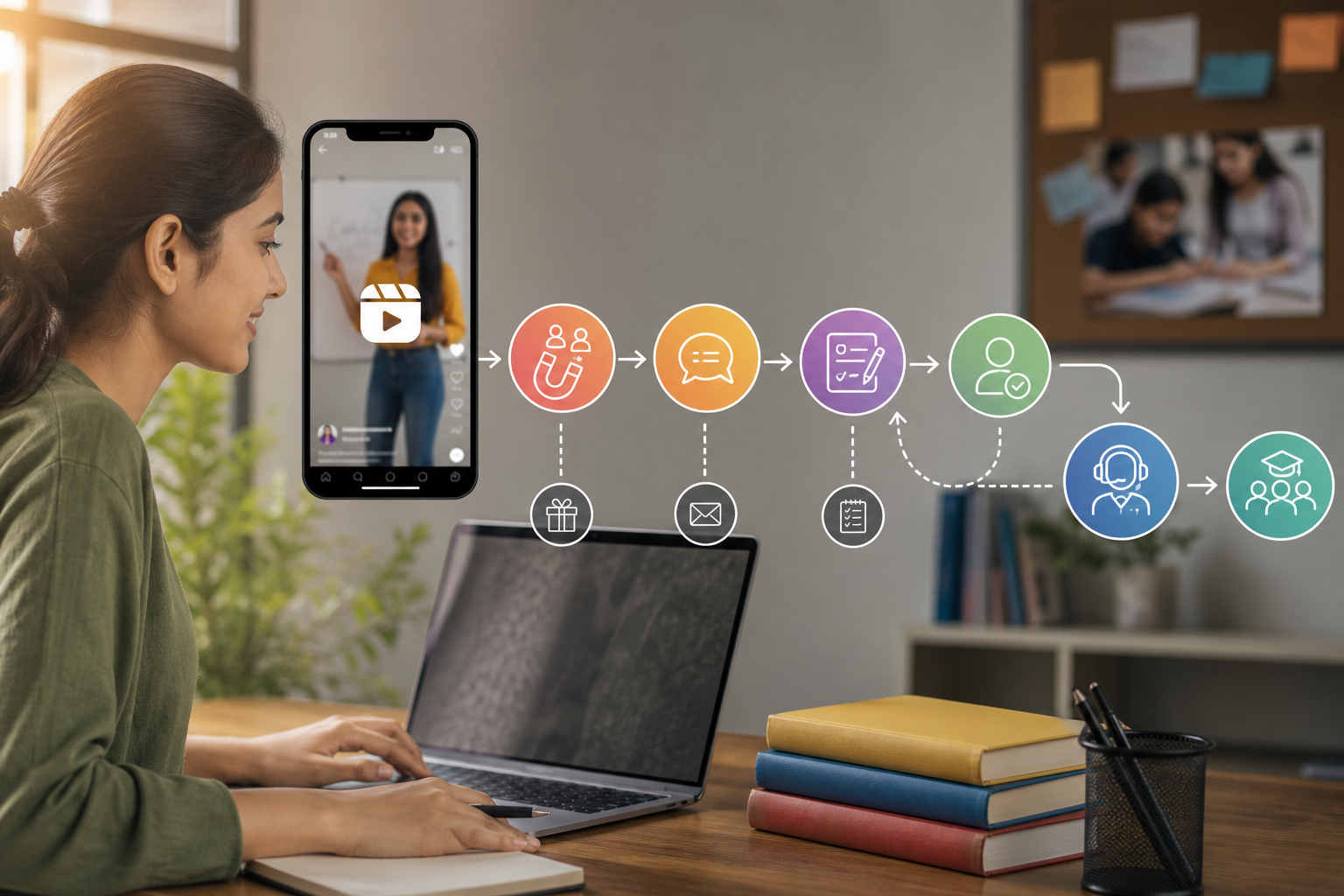

WhatsApp can generate high-intent enquiries, but a chat start is not the same as a qualified lead or sale. This guide explains how Indian businesses can connect Google Ads and Meta Ads clicks to WhatsApp conversations, CRM stages and offline outcomes without inflating campaign performance.
A WhatsApp conversation can look like a successful lead in an advertising dashboard even when nobody replies, the number is shared by several family members, or the enquiry is outside your service area. This is common in India, where customers often click an ad, ask for a price, disappear, return weeks later and finally purchase after a phone call or shop visit.
The problem is not that WhatsApp is difficult to use. The problem is treating one action—a click or chat start—as the final conversion. For reliable WhatsApp lead tracking for Google Ads and Meta Ads, you need to connect the first interaction with qualification, CRM progress, sale and revenue, while keeping duplicate and low-intent conversations out of the main performance number.
Start by separating the WhatsApp lead stages
Use different event names and conversion actions for different business outcomes. A useful model is:
| Stage | What it means | How to use it |
|---|---|---|
| WhatsApp click | A person clicked a WhatsApp button or link. | Useful for journey analysis, but normally not a primary lead conversion. |
| Conversation started | A WhatsApp thread was opened or an initial message was sent. | Can be a secondary advertising signal, especially when message volume is low. |
| Qualified conversation | The person meets your basic criteria and has shown a genuine requirement. | Use as the main optimisation event when sales data is delayed. |
| Sales opportunity | The business has accepted the requirement and created a quotation, appointment or formal follow-up. | Use for commercial reporting and, where volume permits, ad optimisation. |
| Closed sale | Payment, admission, booking or completed purchase has been recorded. | Use as the strongest outcome for return-on-ad-spend and revenue analysis. |
For example, a dental clinic may define a qualified conversation as a person who shares the treatment requirement, location and preferred appointment period. A real-estate business may require a project match, budget range and site-visit interest. A coaching institute may require the course, student class and a counsellor follow-up.
Do not use vague rules such as “the person seemed interested”. Write observable conditions that a salesperson can apply consistently. This makes the numbers more stable across branches, agents and campaign periods.
Design the measurement model before installing tags
Decide which system owns each part of the truth. GA4 is generally best for analysing the website journey. Google Ads and Meta Ads need conversion signals for campaign optimisation. Your CRM or lead sheet should be the commercial record for qualification, opportunity, sale and revenue.
A practical setup can use these events:
- whatsapp_click: a visitor selects a WhatsApp button or link.
- whatsapp_message_started: the user reaches the messaging handoff or sends the initial message, where this can be observed reliably.
- whatsapp_qualified: a sales or support user marks the conversation as meeting the qualification rules.
- whatsapp_opportunity: an appointment, quotation, site visit or formal sales opportunity is created.
- whatsapp_sale: the CRM records a completed payment or sale.
Keep the first two events separate from the latter three. If every click is imported as a Google Ads or Meta conversion, the platforms may learn to find people who click easily rather than people who buy.
Also decide your attribution policy. “Google Ads conversion”, “Meta conversion”, “GA4 conversion” and “CRM-attributed revenue” are not automatically the same number. Each system uses different identity signals, attribution windows and modelling. Your report should show these numbers separately rather than forcing them to match.
Google Ads: preserve the click context and import better outcomes
When a Google Ads visitor first reaches your website, preserve the landing-page information before the person moves to WhatsApp. Auto-tagging normally adds a Google click identifier such as a GCLID. In some privacy and app-related situations, GBRAID or WBRAID may be relevant. Your implementation should retain the identifier that Google provides, subject to the account, browser and consent conditions in that journey.
At the same time, retain your campaign UTMs where your reporting process uses them. A sensible record may include:
- source and medium;
- campaign, ad group or equivalent campaign grouping;
- keyword or search-term information where available and permitted;
- landing-page path;
- device type;
- Google click identifier;
- the internal lead ID created later in the CRM.
Do not place a phone number, name, email address or full WhatsApp message into GA4 event parameters or advertising URLs. Personal information should remain in the CRM or approved business systems, with access and retention controls.
Website click-to-WhatsApp implementation
Track the button interaction through Google Tag Manager, gtag or your website’s data layer. The event should identify the platform as Google where the visit came from, the button location and the page on which it was clicked. For example, “header”, “service_page” and “contact_section” are more useful than a generic button label.
Before opening WhatsApp, save the campaign context in a first-party lead record or a controlled browser storage method, taking consent and retention into account. When the visitor submits a form or an agent creates a CRM record from the conversation, pass the stored click identifier and campaign fields to the CRM. Do not assume that opening the WhatsApp application automatically carries GCLID or UTM data into the chat.
Import qualified and offline conversions
For a business with enough lead volume and reliable CRM stages, import qualified leads, opportunities or sales into Google Ads as offline conversions. The CRM needs to retain the original Google click identifier, conversion timestamp, conversion action name and, for revenue reporting, the approved value and currency.
Use conversion stages carefully. A “qualified lead” import should happen only after a person satisfies the written rule. A “sale” import should happen after payment or another clearly defined commercial event. If a lead is later rejected, your CRM should preserve that outcome instead of silently deleting the original record.
Direct click-to-message journeys can have fewer website identifiers than landing-page journeys. In that case, use the Google Ads reporting available for the relevant message or asset setup, and make CRM reconciliation the main commercial layer. Do not manufacture a GCLID or assign a Google source merely because the person says they saw an advertisement.
Meta Ads: distinguish message starts from business outcomes
Meta campaigns can send users to WhatsApp through click-to-message placements or send them to a landing page containing a WhatsApp button. These are different journeys and should not be mixed in one conversion column.
For a native click-to-message campaign, record the campaign, ad set and ad context available from Meta’s messaging and business tools. Where your approved integration supports it, send qualified outcomes back through the relevant Meta business measurement or Conversions API workflow. The exact fields depend on the account configuration, WhatsApp setup, consent model and integration tool.
For a website journey, preserve campaign parameters and a first-party lead identifier before the WhatsApp handoff. Avoid relying on a person’s name or phone number as the only matching key. Numbers may be shared, entered incorrectly or reused by existing customers.
In Meta reporting, keep “messaging conversations started” separate from “qualified WhatsApp leads”. A campaign may generate many inexpensive chats but few conversations that meet your service area, budget or appointment criteria. That difference should affect the budget decision.
Standardise every WhatsApp entry point
Tracking fails when each employee, agency or webpage uses a different WhatsApp link. Create a controlled naming system for all entry points, including:
- landing-page buttons;
- Google Ads landing pages;
- Meta ads and profile links;
- QR codes used at shops, exhibitions or clinics;
- Google Business Profile actions;
- email and remarketing messages.
Use a prefilled message to identify intent, but do not treat it as proof of qualification. For example, “I want a consultation for knee pain in Salt Lake” provides a useful starting point, while “I saw your ad” does not identify the requirement. Keep the message short enough for a mobile user to edit.
Where possible, use separate entry-point codes such as “GADS-DENTAL”, “META-RENTAL” or “QR-STORE”. These codes should help the agent and CRM identify the source without exposing sensitive information. A customer can edit or remove a prefilled message, so use it as a supporting signal rather than a guaranteed attribution field.
GA4 and tag management: measure the handoff, not private chat content
In GA4, record the interaction with useful non-personal parameters such as:
- advertising platform;
- campaign name or campaign ID;
- landing-page path;
- button location;
- device category;
- entry-point type, such as landing page, QR code or profile link;
- a non-personal lead or session reference where appropriate.
Do not send the phone number, name, email address, message text or CRM notes to GA4. A WhatsApp URL, referrer, data layer or custom parameter can accidentally contain personal information. Inspect event payloads in browser tools and GA4 DebugView before publishing the setup.
Mobile testing deserves extra attention. Test Android and iPhone devices, the WhatsApp app and WhatsApp Web, logged-in and logged-out visitors, slow connections and users who return later. Check whether the event fires once, whether a second click creates a duplicate, and whether the page records a click even when WhatsApp is not installed.
CRM handoff: create one lead record with a stable ID
The moment a genuine conversation reaches your team, create or update a CRM record. The record should contain a stable internal lead ID and, where permitted, the following fields:
- contact details collected with a suitable business purpose;
- first source and latest source;
- Google, Meta or other platform campaign fields;
- landing page or entry-point code;
- first conversation timestamp;
- assigned salesperson, branch or counsellor;
- qualification status;
- opportunity, appointment and sale dates;
- revenue, refund or cancellation status.
Store both first touch and latest meaningful touch when the business needs that distinction. For example, Google Search may create the first enquiry, while a Meta retargeting ad may bring the person back. Reporting can then show acquisition and re-engagement without awarding the entire sale to both platforms.
If your team uses the WhatsApp Business app without a CRM, start with a controlled lead register. Record the number, source code, date, agent, status and outcome consistently. A spreadsheet is not a full attribution system, but a disciplined register is better than asking agents to remember where every chat came from.
Deduplicate before calculating lead cost
One person can click the same ad several times, message two numbers, submit a form and call the business. A family may use one phone number for multiple enquiries. An existing customer may be counted as a new lead after asking about another service.
Define deduplication rules before reporting. For example:
- Group repeated messages from the same contact within a chosen period under one lead unless they represent separate requirements.
- Match a WhatsApp conversation to an existing CRM record after checking more than the phone number where practical.
- Keep separate opportunities when one organisation has genuinely different projects or locations.
- Do not count an agent’s internal or test message as a customer lead.
- Mark cross-channel contacts as one person with several touchpoints, not several new leads.
- Preserve rejected, unreachable and duplicate statuses so the original volume can be audited.
The exact time window should reflect the sales cycle. A local salon may review duplicates over a few days, while a property or industrial-sales business may need a much longer period. Document the rule and apply it to Google and Meta leads in the same way.
Connect WhatsApp to offline outcomes in India
Many Indian businesses complete the sale away from the website. The customer may visit a clinic, attend a counselling session, inspect a property, pay at a store or transfer an advance after a phone discussion. A WhatsApp click cannot show this outcome by itself.
Map the pipeline to business events:
- Conversation received.
- Requirement verified.
- Appointment, site visit or counselling booked.
- Appointment or visit attended.
- Quotation issued.
- Payment received or admission completed.
- Refund, cancellation or repeat purchase recorded.
Ask the sales team to update the next stage within a defined period. For delayed sales, schedule regular CRM-to-platform uploads rather than changing the lead status only at month end. Check whether the conversion date, value, currency and source identifier are valid before importing.
Consent and privacy matter when matching customer data to advertising platforms. Collect only what the business needs, tell people how their information will be used where required, restrict access and follow the applicable platform terms and Indian privacy obligations. Do not upload raw WhatsApp conversations or sensitive health, financial or identity details as advertising parameters.
A reporting framework that avoids inflated results
Use separate columns in the weekly or monthly report:
| Metric | Primary question |
|---|---|
| WhatsApp clicks | Did the landing page or ad create an action? |
| Conversation starts | Did the user reach the messaging journey? |
| Unique conversations | How many distinct lead records were created? |
| Qualified conversations | How many met the business criteria? |
| Opportunities | How many progressed to a real commercial possibility? |
| Sales | How many completed the defined sale event? |
| Revenue | What value was recorded after cancellations or refunds? |
Then show three attribution views: platform-reported conversions, GA4 journey events and CRM-attributed outcomes. Explain why they differ. A Google or Meta dashboard may count a conversion within its attribution window, GA4 may assign credit using its selected model, and the CRM may use first touch, last touch or a manually assigned source.
For optimisation, you may use qualified conversations before there is enough sale volume. For management decisions, compare cost per qualified conversation, cost per opportunity, cost per sale and revenue—not only cost per chat.
Implementation checklist and QA plan
- Write the qualification definition and rejection rules.
- List every WhatsApp entry point and assign a consistent source code.
- Configure GA4 and tag management events with no personal information.
- Verify Google click identifiers and UTMs are retained where the journey supports them.
- Confirm Meta campaign and messaging data is available through the approved setup.
- Create one stable CRM lead ID for each deduplicated lead.
- Map CRM stages to qualified lead, opportunity, sale and revenue events.
- Test Android, iPhone, WhatsApp app, WhatsApp Web, slow connections and repeat clicks.
- Test delayed replies, existing customers, shared numbers, agency-assisted conversations and duplicate forms.
- Compare ad-platform totals, GA4 events and CRM records for the same date range.
- Run a small validation period before using offline outcomes for automated bidding.
Keep a test log with the date, device, campaign, expected event, actual event and CRM result. If the numbers disagree, first check time zones, attribution windows, duplicate logic, delayed status updates and whether a user bypassed the website entirely.
When specialist help is justified
Basic click tracking can often be implemented by a competent website or marketing team. Specialist help becomes valuable when Google and Meta campaigns use different entry points, several agents handle chats, the sales cycle is long, the CRM has multiple branches or revenue must be reconciled with payment records.
Ask for a documented event map, data ownership plan, test evidence and reporting definitions—not just a screenshot showing more conversions. A sound implementation should explain what is counted, what is excluded, how duplicates are handled and how a later sale is connected to its original marketing touchpoint.
Conclusion
WhatsApp should be measured as a lead journey, not as a single conversion button. Count the click and conversation start for diagnosis, but reserve primary commercial reporting for qualified conversations, opportunities, sales and revenue. Preserve Google and Meta campaign context through the website and CRM where the journey allows it, keep personal information out of analytics events, and use one stable lead ID to reconcile repeated and cross-channel contacts.
Your realistic next step is to audit one campaign and one WhatsApp entry point. Define the qualification rule, record the click source, create a CRM status flow and compare clicks, unique chats, qualified leads and sales for a fixed period. Once those numbers are reliable, add offline conversion imports and stronger platform optimisation signals instead of scaling a dashboard that counts every chat as a success.
About Sanat Haldar
Sanat Haldar is a digital marketing consultant and website developer based in Kolkata, working across SEO, Google Ads, Local SEO, performance marketing and conversion-focused websites. For businesses working on Google Ads services, the relevant service page explains the approach, scope and next steps.