Internal Linking Strategy for SEO in 2026–2027: How to Build a Better Website Structure
A website can have good content and still have a weak SEO structure if its pages are not properly connected. You may publish service pages, blog articles, location pages and other useful resources, but if those pages exist as isolated URLs, both visitors and search engines may have difficulty understanding how they relate to each other.
This is where an effective internal linking strategy becomes important.
Internal links connect one page of your website to another page on the same website. Done properly, they can help visitors discover relevant information, help search engines find important URLs and create a clearer relationship between pages covering the same subject.
For businesses investing in SEO in 2026–2027, internal linking should not be treated as simply adding a few links to blog posts. It should be part of the overall website architecture.
What Is an Internal Linking Strategy?
An internal linking strategy is a planned approach to connecting related pages within your own website.
Instead of adding links randomly, you decide which pages should be connected, why they should be connected and which pages deserve stronger internal support.
For example, a digital marketing website might have:
- A main SEO service page
- A Technical SEO service page
- An On-Page SEO service page
- An Ecommerce SEO service page
- An SEO Audit service page
- SEO educational articles
- Local SEO pages
These pages can be connected where the relationship is genuinely useful to the reader.
The result is a website where individual pages are not working completely independently. They become part of a larger topical structure.
Why Internal Linking Matters for SEO
Internal linking has several practical benefits.
First, links help visitors move from one relevant page to another without having to return to the main navigation or search for the information themselves.
Second, internal links can help search engines discover URLs that may otherwise be difficult to reach.
Third, links provide contextual information about the relationship between pages. A link from an article discussing website crawlability to a detailed Technical SEO service page is more meaningful than a completely unrelated link.
Internal links can therefore support:
- Website discovery
- Navigation
- Topical relationships
- Website architecture
- Distribution of internal authority
- User journeys
- Access to deeper content
However, internal linking is not a shortcut to guaranteed rankings. It works best as part of a broader SEO strategy involving useful content, technical health, search intent and a well-organised website.
Internal Links vs External Links
An internal link points from one page on your website to another page on the same website.
An external link points from your website to a different domain.
For example, if your article links from an SEO guide to your own Technical SEO service page, that is an internal link.
If the same article references an external research source, that is an external link.
Both can be useful, but they serve different purposes. An internal linking strategy is specifically concerned with how the pages within your own website are connected.
Start With Your Most Important Pages
One of the biggest mistakes businesses make is treating every page as equally important.
Instead, identify the pages that matter most to the business.
These might include:
- Main service pages
- Important specialist service pages
- Product or category pages
- Location pages
- High-value landing pages
- Important evergreen articles
Once these pages are identified, look for relevant opportunities to link to them from other useful pages.
For example, if Technical SEO is an important service, an article about website crawlability may naturally link to the Technical SEO service page.
The objective is not to place a link everywhere. It is to make sure important pages are properly connected to relevant parts of the website.
Build Topic Clusters With Internal Links
Internal linking becomes much more useful when your content is organised around related topics.
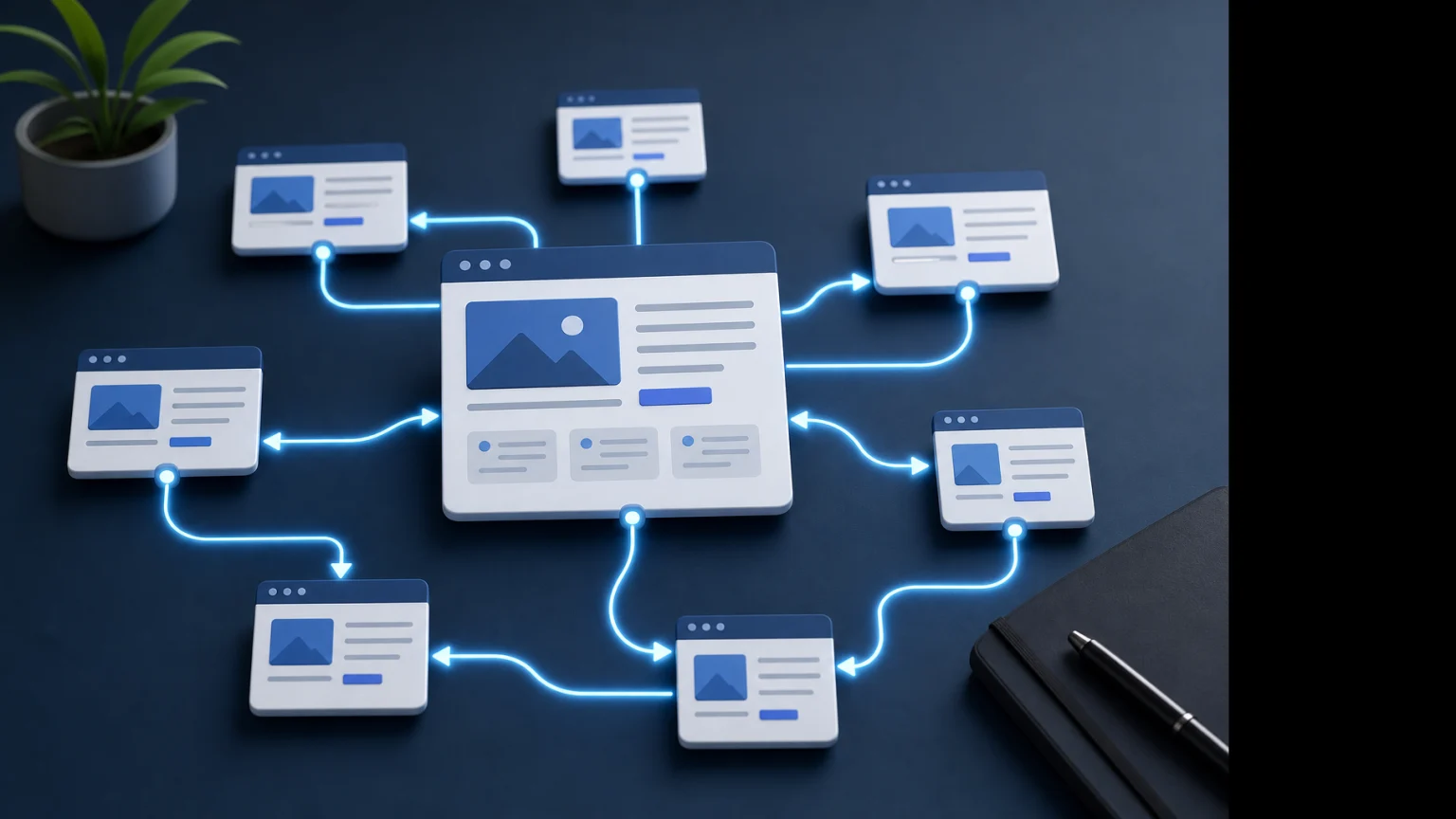
Consider an SEO website with a central service page and several specialist pages.
A simplified structure could look like this:
SEO Services
- Technical SEO
- On-Page SEO
- Ecommerce SEO
- SEO Audit
- AI SEO
- SEO for Small Businesses
Supporting articles can then explain specific questions related to these services.
For example:
- Technical SEO Checklist
- How Long Does SEO Take?
- How Much Does SEO Cost?
- Internal Linking Strategy
The articles can link naturally to the relevant service pages, while service pages can link to useful educational resources where appropriate.
This creates a clearer topical relationship between commercial and informational content.
Use Contextual Internal Links
The strongest internal links are usually placed where they make sense within the content.
For example:
“A technical SEO audit can identify crawlability, indexing, canonical and website structure problems.”
If the reader would benefit from learning about the service, a natural link to Technical SEO Services can be placed around relevant wording.
This is generally more useful than adding a long list of unrelated links at the end of every article.
How Many Internal Links Should a Page Have?
There is no universal number that every page should follow.
A 700-word article may naturally need fewer links than a 3,000-word comprehensive guide.
The better question is:
Does each internal link help the reader or clarify the relationship between pages?
If the answer is yes, the link may be useful.
If links are being added only to increase the number of internal links, the strategy needs to be reconsidered.
Choose Descriptive Anchor Text
Anchor text is the clickable wording used for an internal link.
It should normally give the reader a reasonable idea of what they will find after clicking.
For example:
Useful: Technical SEO Services
Less descriptive: click here
This does not mean every link needs to use the exact target page's primary keyword. Natural variations can be useful and often make the writing feel more human.
Avoid forcing the same keyword into every internal link pointing to a page.
Do Not Use the Same Anchor Text Everywhere
If ten different articles link to the same service page, you do not necessarily need ten identical anchor texts.
Depending on the context, natural variations could include:
- Technical SEO Services
- Technical SEO
- Technical SEO audit
- Technical optimisation
- Technical website SEO
The wording should remain accurate and relevant to the destination page.
Connect Blog Articles to Service Pages
This is one of the most useful internal linking opportunities for a business website.
Educational articles often attract informational searches, while service pages target people who may be closer to taking action.
For example, someone reading an article about technical SEO problems may eventually need professional technical SEO help.
A natural link from the article to the relevant service page provides a logical next step.
The same principle can apply to articles about:
- SEO pricing
- SEO timelines
- Google Maps visibility
- Google Ads
- Website development
- Conversion tracking
The key is relevance. Do not link every article to every service simply because the pages exist.
Connect Service Pages to Supporting Content
Internal linking should not only flow from articles to service pages.
Service pages can also link to educational content that answers questions customers may have before making a decision.
For example, an SEO service page could reference an article explaining how long SEO normally takes or how SEO pricing is determined.
This can help users understand the service without overcrowding the main commercial page with every possible explanation.
Use a Main Hub and Supporting Pages
A larger website often benefits from having a main topical or service hub supported by more specific pages.
For example:
Main SEO page
↓
Technical SEO
On-Page SEO
Ecommerce SEO
SEO Audit
AI SEO
SEO for Small Businesses
Supporting articles can then connect to the relevant specialist pages.
This creates a more organised structure than publishing dozens of articles without any clear relationship between them.
Find Orphan Pages
An orphan page is a page that has little or no meaningful internal linking from other pages on the website.
This can happen very easily when new content is published.
For example, a business may publish ten blog posts during a month but never update older related articles or service pages with links to the new content.
The result is a growing website where some useful pages are effectively disconnected from the rest of the site.
As part of an internal linking audit, identify pages that:
- Have very few internal links
- Are not linked from relevant content
- Are difficult to reach through navigation
- Contain valuable information but receive little internal support
Improve Internal Link Depth
Important pages should generally not be unnecessarily buried deep within the website.
If a visitor has to click through several unrelated pages before reaching an important service, the website structure may need improvement.
Review how many steps are required to reach important pages from major navigation points and relevant content.
A clear structure makes the website easier to navigate and easier to understand.
Use Breadcrumbs Where Appropriate
Breadcrumb navigation can help show where a page sits within a website hierarchy.
For example:
Home → SEO Services → Technical SEO
This can provide another useful navigation path, particularly on websites with multiple levels of content.
Breadcrumbs should reflect the actual website structure rather than being added purely as an SEO decoration.
Internal Linking for Ecommerce Websites
Ecommerce websites can have thousands of possible internal linking relationships.
Products, categories, subcategories, collections, guides and informational content can all be connected.
Useful ecommerce internal links may include:
- Category pages linking to important subcategories
- Relevant products linked from buying guides
- Related products where appropriate
- Informational articles linking to commercial categories
- Category pages linking to useful buying guides
However, ecommerce websites also need to be careful with filters and faceted navigation. Automatically creating huge numbers of links and URLs can make the website unnecessarily complicated.
If ecommerce SEO is a major priority, see Ecommerce SEO Services for more information.
Internal Linking for Local SEO
Local businesses can also use internal linking to connect services, locations and useful educational content.
For example, a business serving Kolkata may have:
- Main service pages
- Specialist service pages
- Location-focused pages
- Local SEO resources
- Service-specific articles
These pages should be connected when the relationship is genuinely useful.
Internal linking does not replace Google Business Profile optimisation or other local SEO work, but it can help create a clearer structure for the business website.
Do Not Link Every Page to Every Other Page
This is one of the most common internal linking mistakes.
It may seem logical to connect everything, but excessive linking can make a page difficult to read and can weaken the usefulness of the navigation.
A better approach is to ask:
- Is the destination page genuinely related?
- Would the reader benefit from visiting it?
- Does the link help explain the current topic?
- Does it support the user's next likely question?
If the answer is no, there may be no reason to add the link.
Fix Broken Internal Links
Internal linking audits should also identify links that no longer work.
Broken links can appear after:
- URL changes
- Website redesigns
- Deleted articles
- Service restructuring
- CMS migrations
Instead of leaving the broken link in place, update it to the most appropriate current page where one exists.
Update Old Articles With New Internal Links
One of the easiest ways to improve an existing content structure is to revisit older relevant articles whenever a new page is published.
Suppose you publish a new page about SEO audits.
You may already have older articles discussing:
- SEO mistakes
- Technical SEO
- SEO performance
- Search rankings
- Website optimisation
Some of these articles may provide natural opportunities to link to the new SEO Audit page.
This creates connections between older and newer content instead of allowing new pages to remain isolated.
Internal Linking and New Content Publishing
Internal linking should be considered when publishing a new page, not several months later.
A simple publishing workflow can include:
- Publish the new page.
- Identify its main topic and purpose.
- Find existing relevant pages.
- Add links from appropriate older content.
- Add relevant links from the new page to existing content.
- Check that all links work.
- Review the page again after related content is published.
This makes internal linking part of content publishing rather than a separate task that is continually postponed.
Internal Linking Strategy for a Growing Business Website
A growing website should gradually develop a logical content hierarchy.
For example, a digital marketing business might organise its SEO content like this:
SEO Services
- Technical SEO
- On-Page SEO
- Ecommerce SEO
- SEO Audit
- AI SEO
- SEO for Small Businesses
Supporting Content
- Technical SEO Checklist
- How Long Does SEO Take?
- How Much Does SEO Cost?
- Internal Linking Strategy
Each supporting article does not need to link to every service page. Instead, links should follow the subject of the article.
This creates a cleaner topical structure and makes the website easier to expand over time.
How to Audit Your Internal Linking Structure
A practical internal linking audit can be completed in several stages.
Step 1: List Important Pages
Create a list of your most important commercial and informational pages.
Step 2: Find Pages With Few Internal Links
Identify important pages that receive very little internal support.
Step 3: Find Relevant Existing Content
Search your own website for articles and pages that discuss related topics.
Step 4: Add Natural Links
Place links where they make sense within the surrounding content.
Step 5: Review Anchor Text
Make sure the anchor text accurately describes the destination without forcing keywords unnaturally.
Step 6: Check Broken Links
Remove or update links that lead to broken or outdated URLs.
Step 7: Review the Structure Regularly
As the website grows, repeat the process so new content becomes part of the existing structure.
Internal Linking Mistakes to Avoid
A good strategy can be damaged by a few common mistakes.
- Adding links that are unrelated to the topic.
- Using the exact same anchor text excessively.
- Adding too many links to a single paragraph.
- Ignoring older content.
- Leaving important pages orphaned.
- Linking to outdated URLs.
- Creating huge automated blocks of unrelated links.
- Using internal links purely for keyword manipulation.
- Ignoring the user's reason for clicking.
- Building complicated website structures without a clear purpose.
Internal Linking Is More Than an SEO Technique
It is easy to look at internal links only from a search engine perspective, but they also influence how people experience a website.
A useful internal link can answer the reader's next question at exactly the right moment.
Someone reading about SEO pricing may want to understand what affects SEO costs. Someone reading about technical SEO may want to know what a technical audit includes. Someone reading about ecommerce SEO may want to explore product and category optimisation.
Good internal linking helps those users move naturally through the information.
How Internal Linking Fits Into Technical SEO
Internal linking is closely connected to website architecture and technical SEO.
A technical SEO review can identify problems such as broken internal links, excessive crawl depth, orphan pages, poor URL structures and weak connections between important sections.
If your website needs a broader technical review, you can learn more about Technical SEO Services.
An SEO audit can also examine internal linking as part of the wider health of the website. See SEO Audit Services for more information.
Internal Linking Strategy and On-Page SEO
Internal linking also supports on-page optimisation because links can connect pages around related topics and help users discover more detailed information.
The content surrounding a link matters. A link placed naturally within a relevant paragraph is generally more useful than a collection of links added without context.
For a broader look at page-level optimisation, visit On-Page SEO Services.
Frequently Asked Questions
What is the best internal linking strategy for SEO?
The best approach is to connect genuinely related pages in a logical website structure. Important service, product and informational pages should receive relevant internal links, while unnecessary or unrelated links should be avoided.
How many internal links should an article have?
There is no fixed number that works for every article. The number should depend on the length, subject and purpose of the content. Add links when they provide useful context or a logical next step for the reader.
Should every blog post link to a service page?
No. A blog post should link to a service page when the service is relevant to the subject and provides a useful next step. Forcing a commercial link into unrelated content can make the article less natural.
What is an orphan page?
An orphan page is a page that has little or no meaningful internal links from other pages on the website. Important orphan pages should be reviewed to determine where relevant internal connections can be added.
Does internal linking improve Google rankings?
Internal links can help search engines discover pages and understand relationships within a website, and they can support the overall site structure. However, internal linking alone does not guarantee higher rankings.
Should internal links use exact-match keywords?
Not necessarily. Anchor text should accurately describe the destination page and read naturally. Using natural variations is often better than forcing the same exact keyword into every link.
Should old blog posts be updated with internal links?
Yes, when the new link is genuinely relevant. Updating older articles can be a practical way to connect new content with established pages and improve the overall structure of the website.
Conclusion
A strong Internal Linking Strategy is not about putting as many links as possible on a website. It is about creating meaningful connections between pages.
Start with the pages that matter most to your business, connect them to relevant supporting content, fix orphan and broken pages, use descriptive anchor text and review the structure as your website grows.
For businesses investing in SEO during 2026–2027, this approach can help turn a collection of individual pages into a more organised website where content, services and topics support each other.
The most useful internal linking structure is ultimately the one that makes sense to both the visitor and the website as a whole.
Actionable Steps Before You Finish Your Internal Linking Audit
- List your most important service, product and location pages.
- Identify important pages receiving very few internal links.
- Find older articles that are closely related to those pages.
- Add natural contextual links where they genuinely help the reader.
- Check your anchor text for clarity and variety.
- Fix broken internal links and outdated destinations.
- Look for orphan pages.
- Review whether important pages are unnecessarily deep in the website structure.
- Connect new articles with relevant existing content when publishing.
- Repeat the review as your website grows.
Building a stronger SEO structure for your business website? Start with your most important pages, connect related content logically and make every internal link serve a clear purpose.